For people who run several Claude Code sessions
A Claude Code dashboard for every session you run
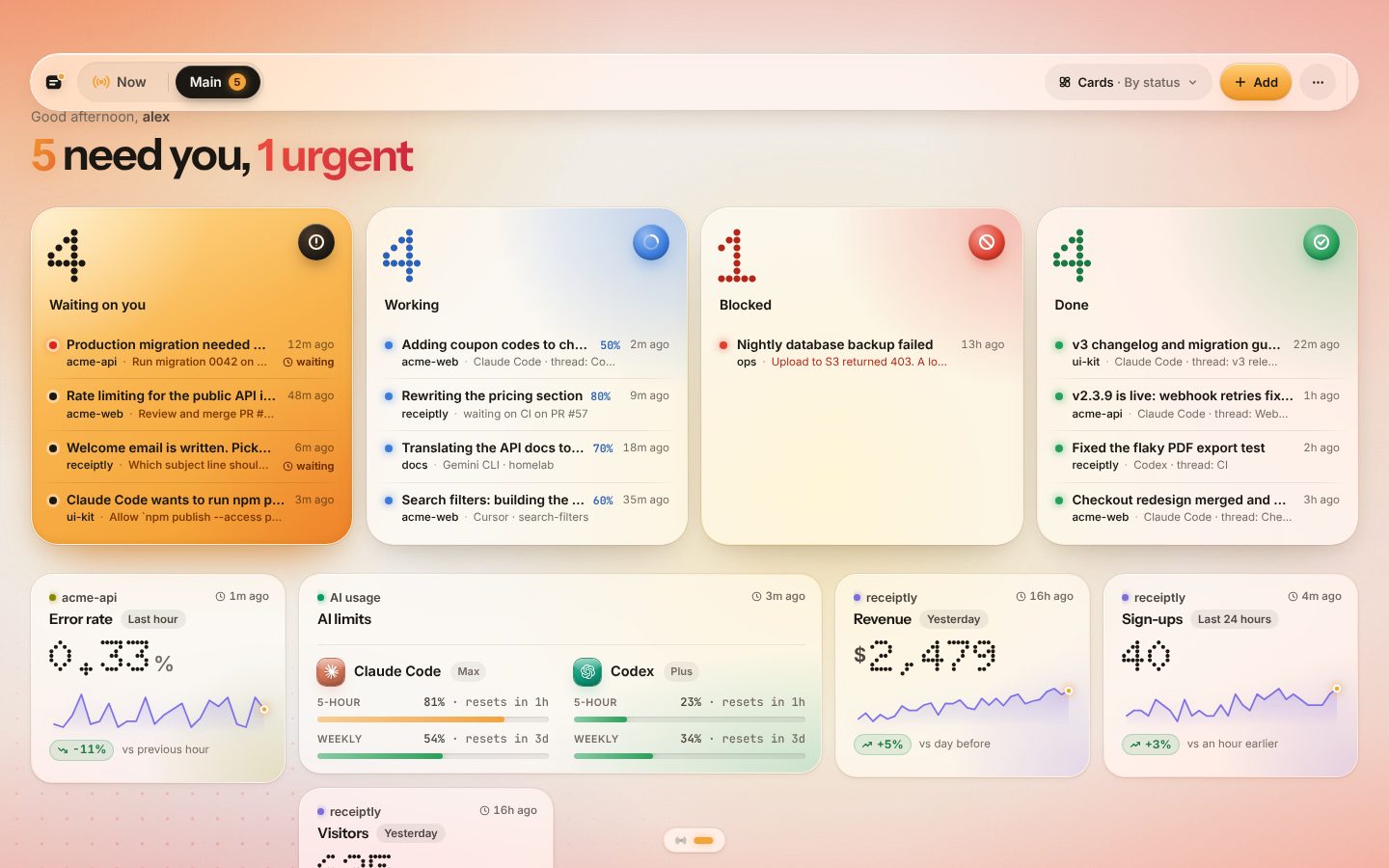
Five terminals, three projects, two computers. Briefkin puts every Claude Code session on one board: what each is doing, which ones wait on you, what finished and how much of your plan is left. Nothing to host.
Or connect this computer nowcurl -fsSL https://briefkin.dev/install | shClaude Code, Codex, Cursor, Gemini CLI, Copilot CLI, OpenCode, Windsurf and Amp. Free during the open beta.
 Open the live demo
What you get
Claude Code dashboard, done properly
Waiting on you, first
Permission prompts, questions and stopped sessions in one column, oldest wait first, each with its project and thread. Answer on the board or from your phone.
Live task lists
The agent’s own todo list ticks off on its card as it works, with a progress bar and what it is waiting on, like CI on a PR.
What finished, with links
Each finished turn becomes a card with its summary and links to the PR or deploy, so you read results instead of scrolling terminals.
Plan limits at a glance
How much of the 5-hour and weekly windows Claude Code and Codex have used, and when they reset, read from your own computer.
On a spare screen
Wall mode turns the board into a full-screen display, and the Chrome side panel keeps it next to whatever tab you work in.
Hosted, every computer
Laptop, desktop, a server and cloud sessions report to the same board. No local server to keep running, no ports to open.
Setup
One minute, one command
Sign in with GitHub
Free during the open beta, no card. The board opens with the install command on it.
Run one command
On each computer your agents run on. It installs a hook in Claude Code, Codex, Cursor and the rest, and sends a first card.
Work as usual
Every session reports by itself: working, waiting on you, done. Nothing to tell the agent.
Compared
Versus a local session monitor
Open-source monitors show sessions running on one computer, in a terminal or a local web page. Briefkin is the hosted version for when your sessions are spread out.
| Local monitor (TUI or localhost) | Briefkin | |
|---|---|---|
| Sessions on other computers and in the cloud | No | Yes |
| Open it from your phone | No | Yes |
| Phone ping when a session waits on you | Rarely | Yes |
| Answer the agent from the board | No | Yes |
| Codex, Cursor and other agents on the same board | Usually Claude Code only | Yes |
| Something to install and keep running | A local server or app | One hook per computer |
Questions
Short answers
Is there an official Claude Code dashboard?
Claude Code shows its sessions in the terminal and, for claude.ai/code, in the web app. There is no single view across every terminal, computer and cloud session; that is the gap Briefkin fills.
Do I have to change how I prompt?
No. The installed hook reports every session on its own. Agents that want to send richer cards (numbers, checklists, links) can use the Briefkin skill, which the installer adds too.
Does it show usage and limits?
Yes: an AI limits tile shows how much of each window Claude Code and Codex have used and when it resets, read on your own computer by the usage collector.
Can my team see it?
A board can be shared as a read-only link. Team workspaces are not here yet.
What does it cost?
Briefkin is free during the open beta. Beta users keep a $96 a year founding price when paid plans start.
Every Claude Code session, on one board.
Sign in with GitHub, run one command on each computer, and stop switching terminals to check who needs you.
Free during the open beta. No card.